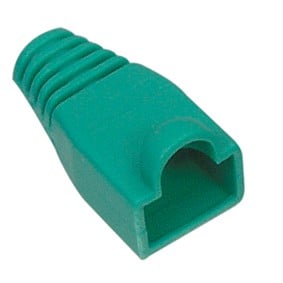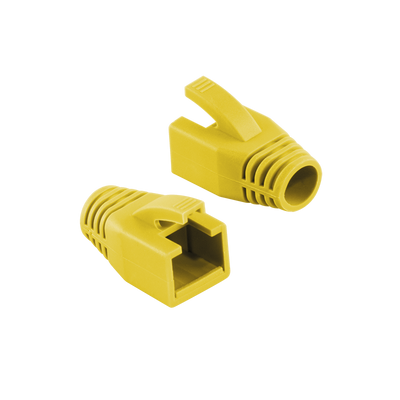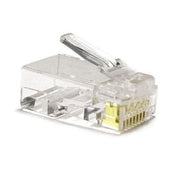
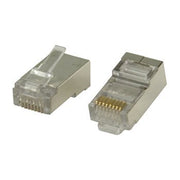
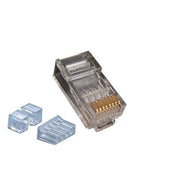
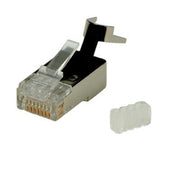
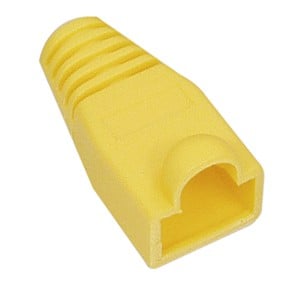
Strain Relief Boot RJ45 100pcs 6mm Yellow
Delivered tomorrow
9,16 Incl. VAT7,57 Excl. VAT
Delivered tomorrow
1
Good networks start with a reliable connection. The RJ45 connector is the small but important plug at the end of your network cable. It ensures a stable connection between cable and device. In this article you can read which variants there are, how to choose the right one and how to easily install it. This prevents malfunctions and gets the most out of your internet connection.
The RJ45 connector is the standard plug for network connections. It has eight contacts that perfectly match the eight wires in a network cable. If you connect it correctly, it makes direct contact with, for example, a modem, switch or wall socket. Thanks to the locking slip, it stays firmly in place.
This type of connector is mainly used in networks based on Ethernet. Think of home networks, business infrastructures and installations for cameras or home automation.
RJ45 connectors differ per cable type. If you choose the wrong one, you will have problems with the signal transmission or it will simply not fit. These are the main differences:
Category: For each cable category there is a matching connector. Think of CAT5e, CAT6, CAT6A, CAT7 and CAT8.1. The higher the category, the tighter the tolerance.
Shielding: There are UTP connectors without shielding and STP variants with shielding against interference.
Construction: There are connectors for round and flat cables. The type of core also plays a role: solid or flexible cores require a suitable contact structure.
Are you using a CAT6A S/FTP cable? Then you need a shielded connector that is suitable for thicker cores. On our page with RJ45 connectors you can easily filter on your cable type.
Connecting an RJ45 connector may seem tricky, but with the right steps it goes smoothly:
Strip the outer sheath of the cable a few centimeters.
Spread the eight cores in the correct order according to the T568B color coding.
Cut the veins straight across so that they are all the same length.
Carefully slide them into the connector until they are all the way to the front.
Use a crimping tool to secure the plug securely.
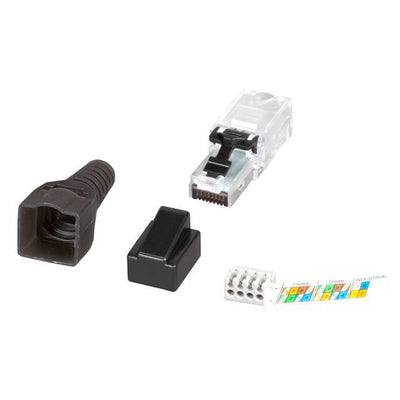
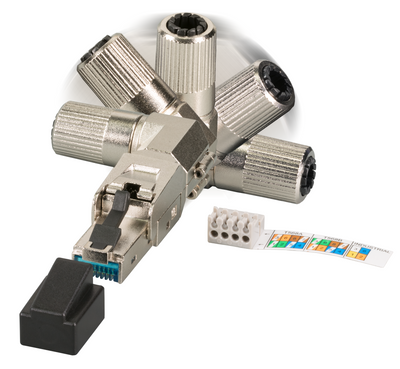
There are also tool-free connectors that do not require pliers. You simply click the wires into the plastic frame. Handy for quick jobs or if you do not have any tools at hand.
When choosing the right connector, you look at three things:
The cable category: For example CAT5e or CAT6A
The type of wire: Solid wires require different contact pins than flexible wires
The application: Indoor, outdoor or industrial use requires specific properties such as shielding or watertightness
Not sure? Use our network cable selection guide to make sure you make the right match.
A mistake during the connection can disrupt the entire connection. These are pitfalls that we often encounter:
The color coding is not applied correctly
The veins are not completely pushed through
The wrong pliers are used or the pliers are squeezed too hard
A shielded cable is connected to an unshielded connector
Avoid these mistakes by working calmly and checking in advance whether the connector fits your cable.
Not every connector is of the same quality. Therefore, pay attention to these points:
The finish of the contact points: A gold-plated layer ensures better conductivity and less chance of corrosion
The sturdiness of the housing: Plastic is fine for home use, metal is better suited for intensive or industrial use
The method of insertion: Good connectors support the cable with a strain relief so that there is no tension on the wires
For installers, professional connectors are also available in value packs. See our installation materials for this.
RJ45 is the standard for data networks, but sometimes other connection methods are considered:
Coaxial connections: Only suitable for television signal, not for network
Fiber optic: High speeds, but more expensive and more difficult to install
USB to Ethernet adapters: Useful for temporary use, but not suitable for permanent installations
For almost all networks, RJ45 remains the most practical and universal choice.
Do I always have to use a crimping tool?
Not always. For some models without tools you press the wires into a clamping system.
Why is my network not working?
Often the color sequence is not applied correctly or the veins are not pushed through far enough.
Can I use the same connector for indoor and outdoor use?
For outdoor use, it is better to choose waterproof and shielded variants.
What is the difference between T568A and T568B?
Both are standards for the sequence of cores, in Europe T568B is the most commonly used.
Do you want to build or expand a network? View our complete range of RJ45 connectors and order easily online. You will receive quickly, clearly and without surprises.
De RJ45 connector is de standaardstekker voor netwerkverbindingen. Hij heeft acht contacten die perfect passen bij de acht aders in een netwerkkabel. Als je hem correct aansluit, maakt hij direct contact met bijvoorbeeld een modem, switch of wandcontactdoos. Dankzij het vergrendeling slipje blijft hij stevig zitten.
Dit type connector wordt vooral gebruikt in netwerken die gebaseerd zijn op Ethernet. Denk aan thuisnetwerken, zakelijke infrastructuren en installaties voor camera’s of domotica.
RJ45 connectoren verschillen per kabeltype. Kies je de verkeerde, dan krijg je problemen met de signaaloverdracht of past hij simpelweg niet. Dit zijn de belangrijkste verschillen:
Gebruik je een CAT6A S/FTP kabel? Dan heb je een afgeschermde connector nodig die geschikt is voor dikkere aders. Op onze pagina met RJ45 connectoren kun je eenvoudig filteren op jouw kabeltype.
Het aansluiten van een RJ45 connector lijkt lastig, maar met de juiste stappen gaat het soepel:
Er zijn ook toolvrije connectoren waarmee je geen tang nodig hebt. Je klikt de aders simpelweg vast in het kunststof frame. Handig voor snelle klussen of als je geen gereedschap bij de hand hebt.
Bij het kiezen van de juiste connector kijk je naar drie dingen:
Twijfel je? Gebruik dan onze netwerkkabel keuzehulp om zeker te weten dat je de juiste match maakt.
Een fout tijdens de aansluiting kan de hele verbinding verstoren. Dit zijn valkuilen die we vaak tegenkomen:
Voorkom deze fouten door rustig te werken en vooraf te controleren of de connector past bij je kabel.
Niet elke connector is van dezelfde kwaliteit. Let daarom op deze punten:
Voor installateurs zijn er ook professionele connectoren beschikbaar in voordeelverpakkingen. Bekijk daarvoor onze installatiematerialen.
RJ45 is de standaard voor datanetwerken, maar soms worden andere aansluitmethodes overwogen:
Voor bijna alle netwerken blijft RJ45 de meest praktische en universele keuze.
Moet ik altijd een krimptang gebruiken?
Niet altijd. Voor sommige modellen zonder gereedschap druk je de aders vast in een klemsysteem.
Waarom doet mijn netwerk het niet?
Vaak is de kleurvolgorde niet goed toegepast of zijn de aders niet ver genoeg doorgeschoven.
Kan ik dezelfde connector gebruiken voor binnen en buiten?
Voor buitengebruik kies je beter voor waterdichte en afgeschermde varianten.
Wat is het verschil tussen T568A en T568B?
Beide zijn standaarden voor de volgorde van aders, in Europa wordt T568B het meest gebruikt.
Wil je een netwerk aanleggen of uitbreiden? Bekijk ons complete aanbod RJ45 connectoren en bestel eenvoudig online. Je ontvangt snel, duidelijk en zonder verrassingen.